In this guide, you’ll upload a document to Agentset, search it, and generate a response using the retrieved context.

Step 1: Get your API key

  1. Sign up and create an organization
  2. Create a namespace from the dashboard
  3. Navigate to Settings → API Keys → New API Key
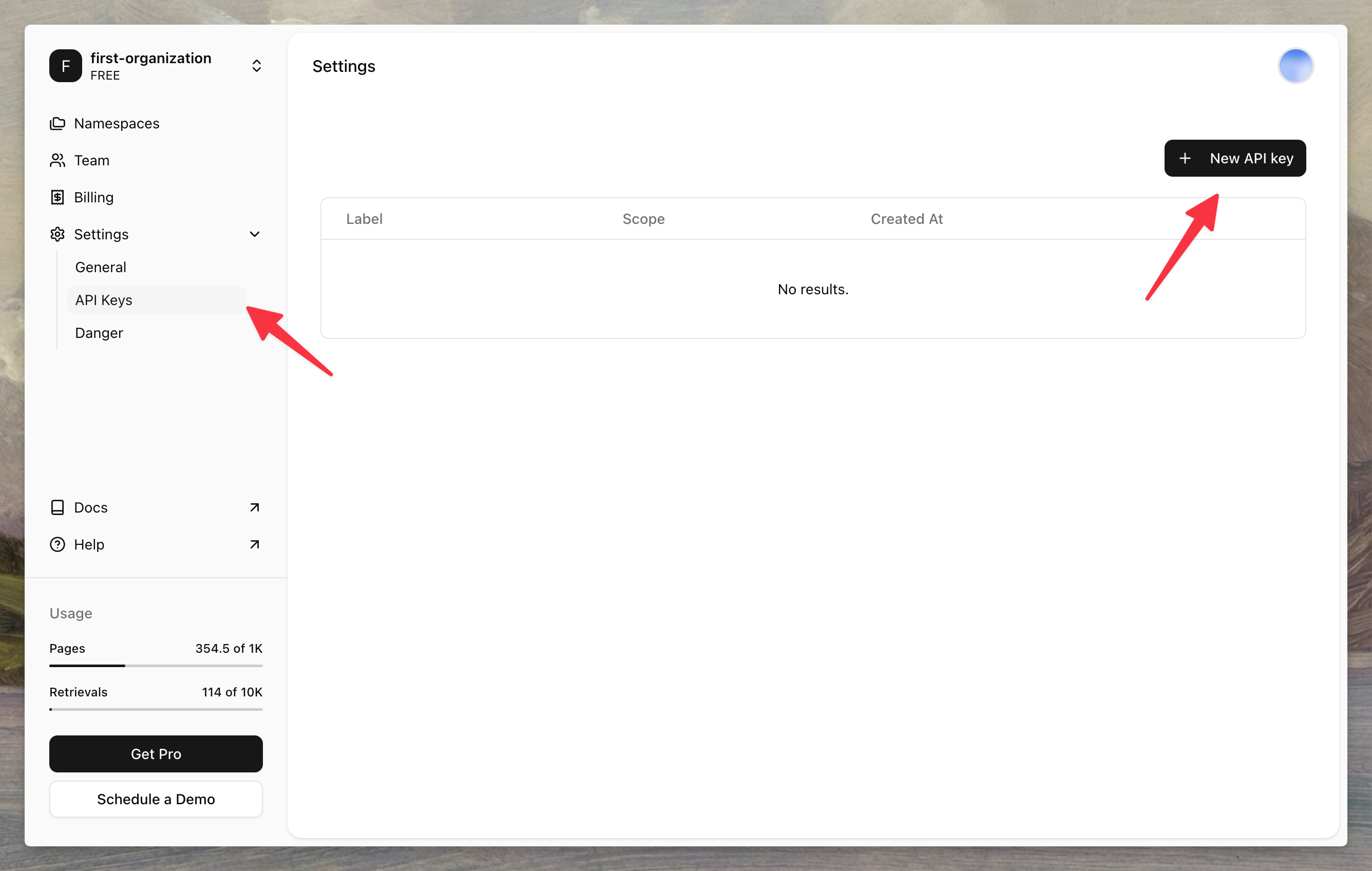
Creating an API key in the Agentset dashboard
Copy your API key and namespace ID—you’ll need them in the next steps.

Step 2: Install the SDK

Install the Agentset SDK using your preferred package manager.
npm install agentset

Step 3: Upload a document

Initialize the client and upload a file to your namespace.
import { Agentset } from "agentset";

const agentset = new Agentset({
  apiKey: process.env.AGENTSET_API_KEY,
});

const ns = agentset.namespace("YOUR_NAMESPACE_ID");

const job = await ns.ingestion.create({
  name: "Attention Is All You Need",
  payload: {
    type: "FILE",
    fileUrl: "https://arxiv.org/pdf/1706.03762.pdf",
  },
});

console.log(`Uploaded: ${job.id}`);
Documents are processed asynchronously. Processing time depends on the file size. Learn how to check upload status.

Step 4: Search your document

Query your namespace to retrieve relevant chunks from your uploaded document.
const results = await ns.search("What is multi-head attention?");

for (const result of results) {
  console.log(result.text);
}

Step 5: Generate a response

Use the search results as context for an LLM to generate answers grounded in your documents.
import { generateText } from "ai";
import { openai } from "@ai-sdk/openai";

const results = await ns.search("What is multi-head attention?");
const context = results.map((r) => r.text).join("\n\n");

const { text } = await generateText({
  model: openai("gpt-5.1"),
  system: `Answer questions based on the following context:\n\n${context}`,
  prompt: "What is multi-head attention?",
});

console.log(text);
That’s it. In a few minutes, you’ve built an end-to-end RAG pipeline that rivals systems built by dedicated ML teams.

Next steps