

1
Create Supabase database
In your Supabase account, create a new database.Make sure to copy the password you write to use for the next step.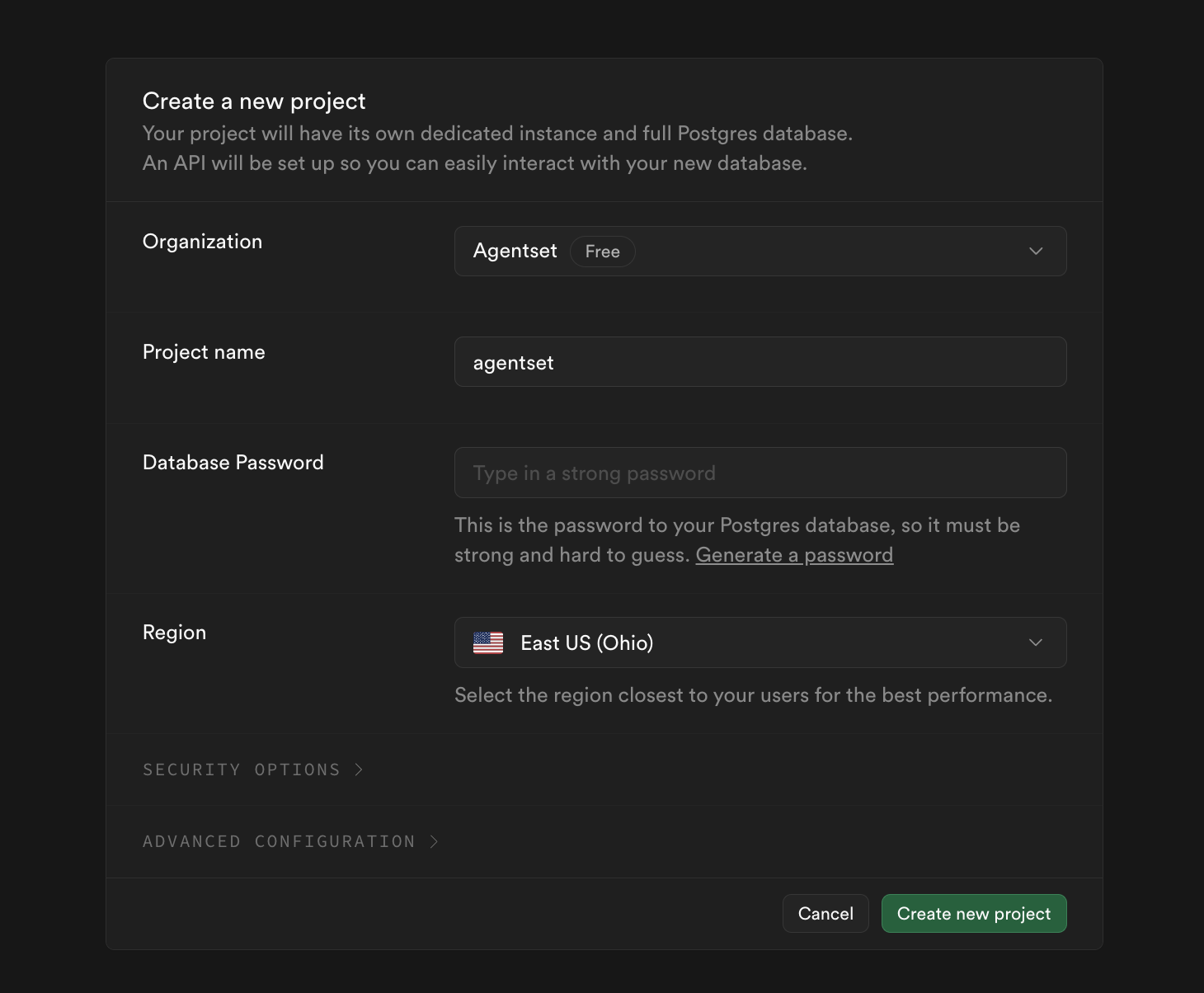
2
Set up Supabase environment variables
Then, click on the Connect button on the top left, navigate to the ORMs tab, and select Prisma.After that, copy the 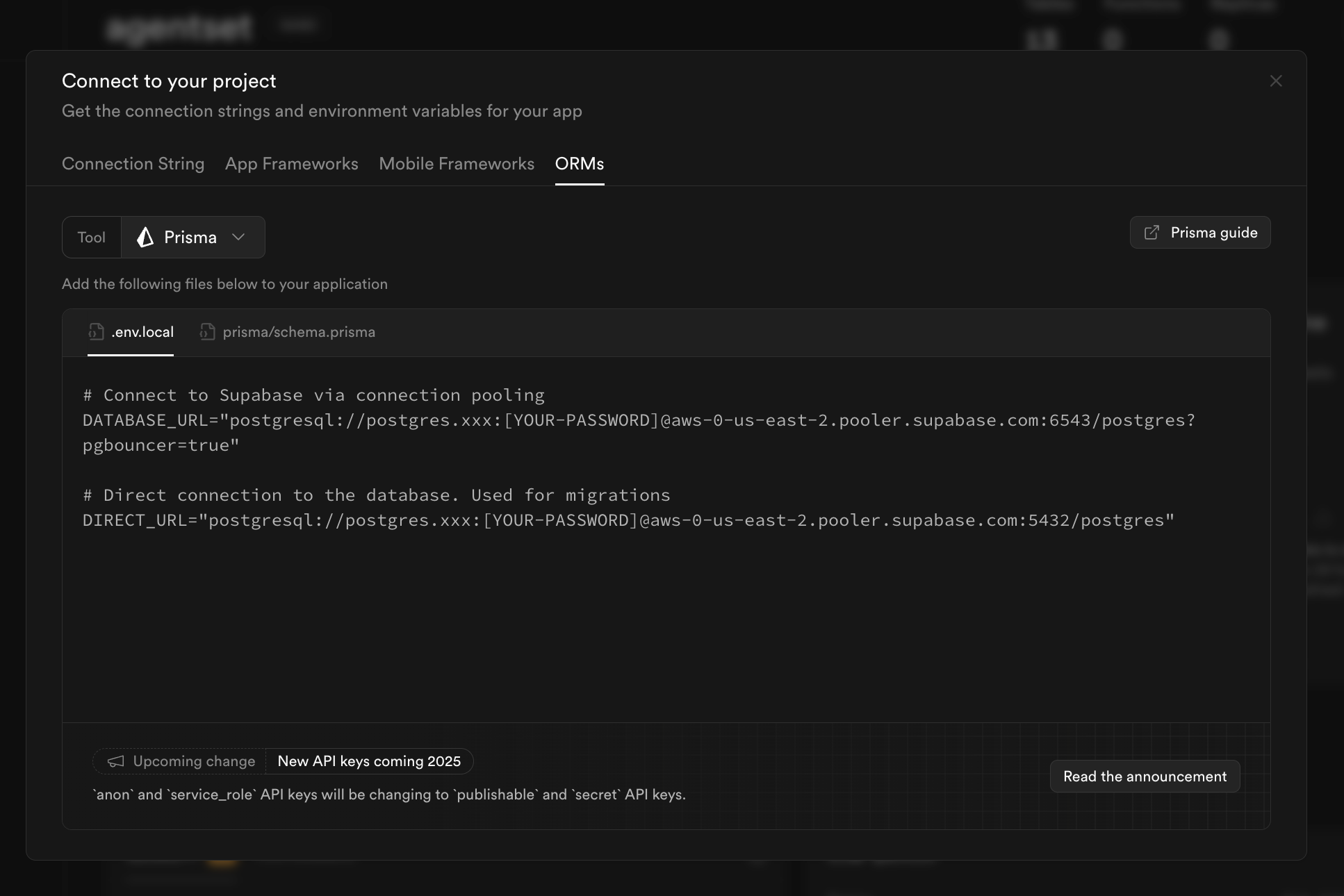
DATABASE_URL and DIRECT_URL into your .env file. And make sure to replace [YOUR-PASSWORD] with the password you wrote down in the previous step.3
Apply migrations
In the terminal, run the following command to generate the Prisma client:Then, run the following command to apply the database migrations:
Terminal
Terminal