

1
Create R2 bucket
You’ll need to subscribe to the R2 service if you haven’t already.
agentset) and leaving the remaining settings as is.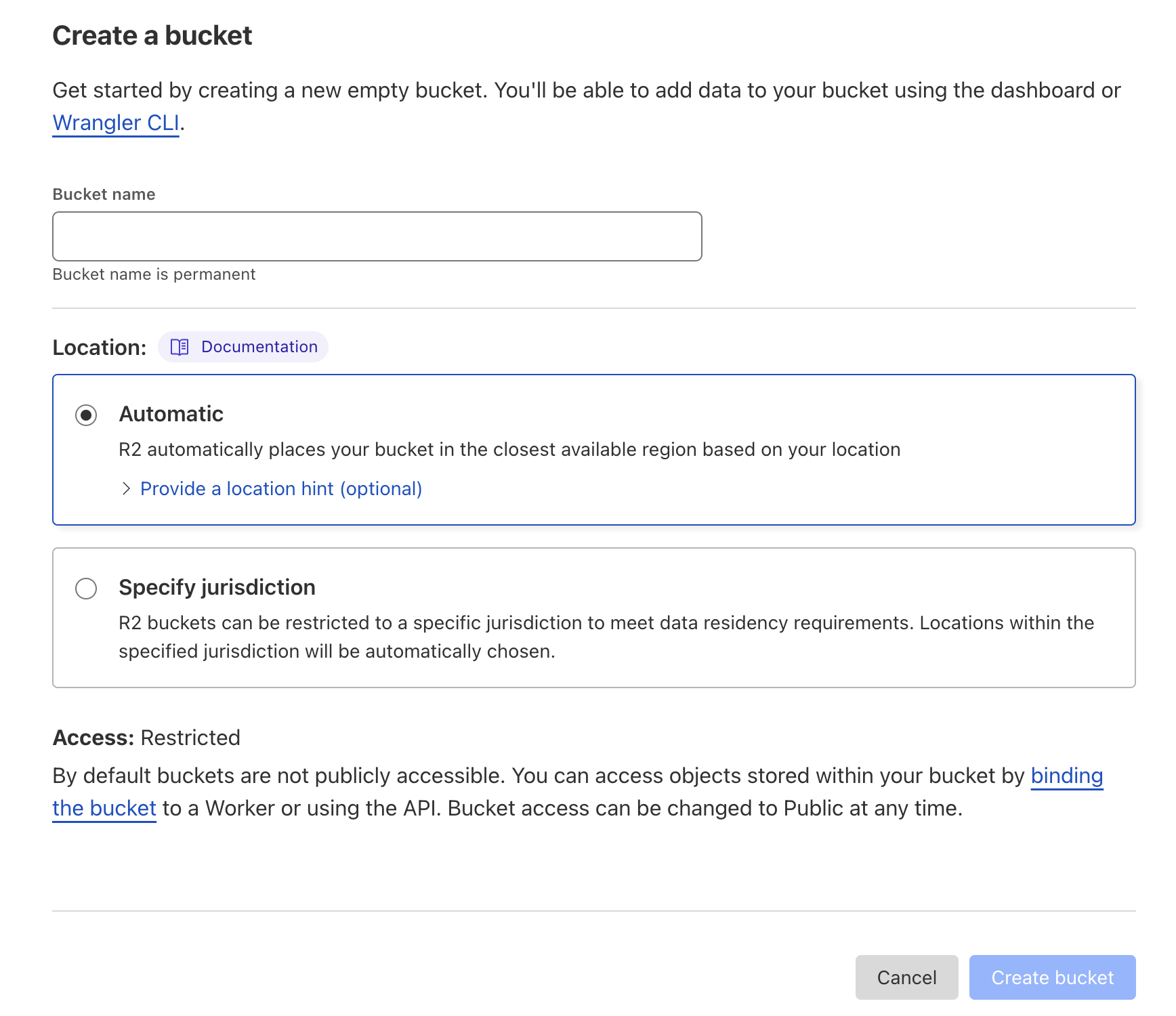
2
Set up access to R2
From the R2 main page, click Manage R2 API Tokens on the right-hand column.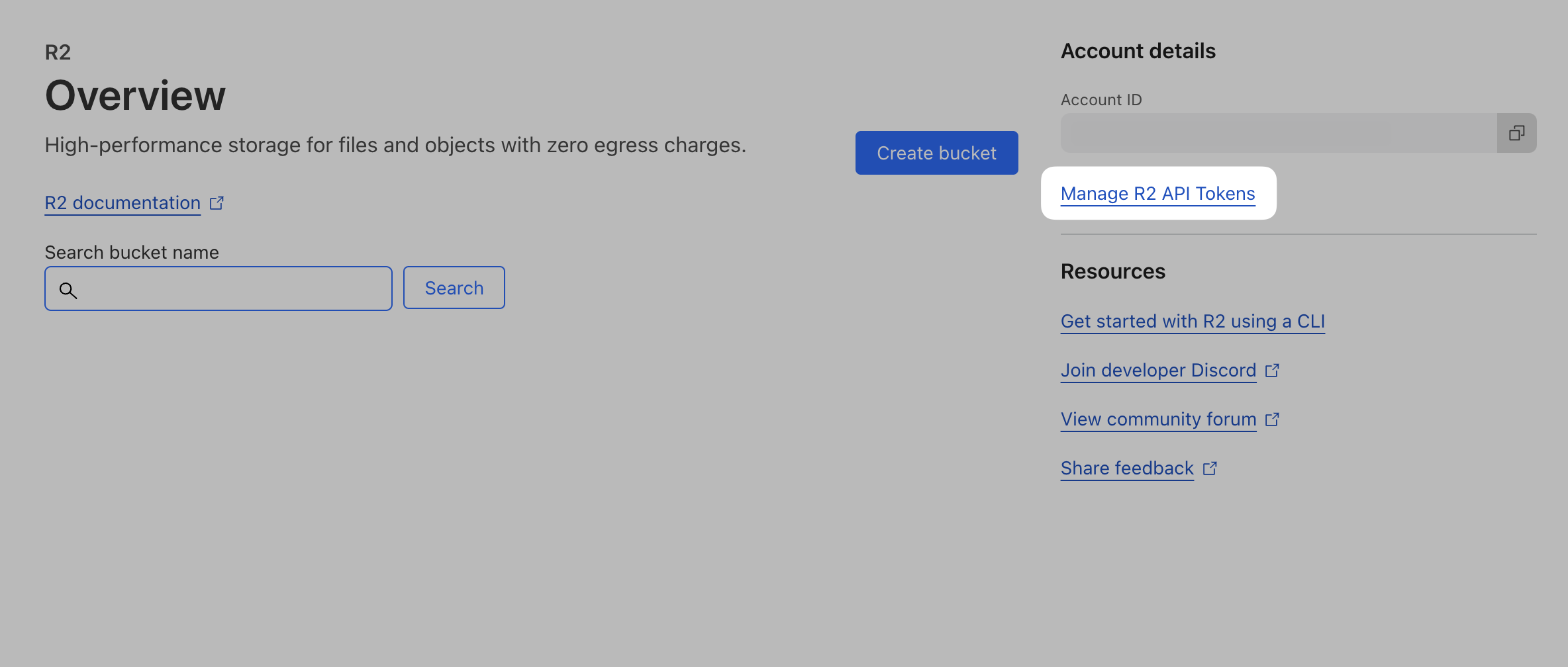
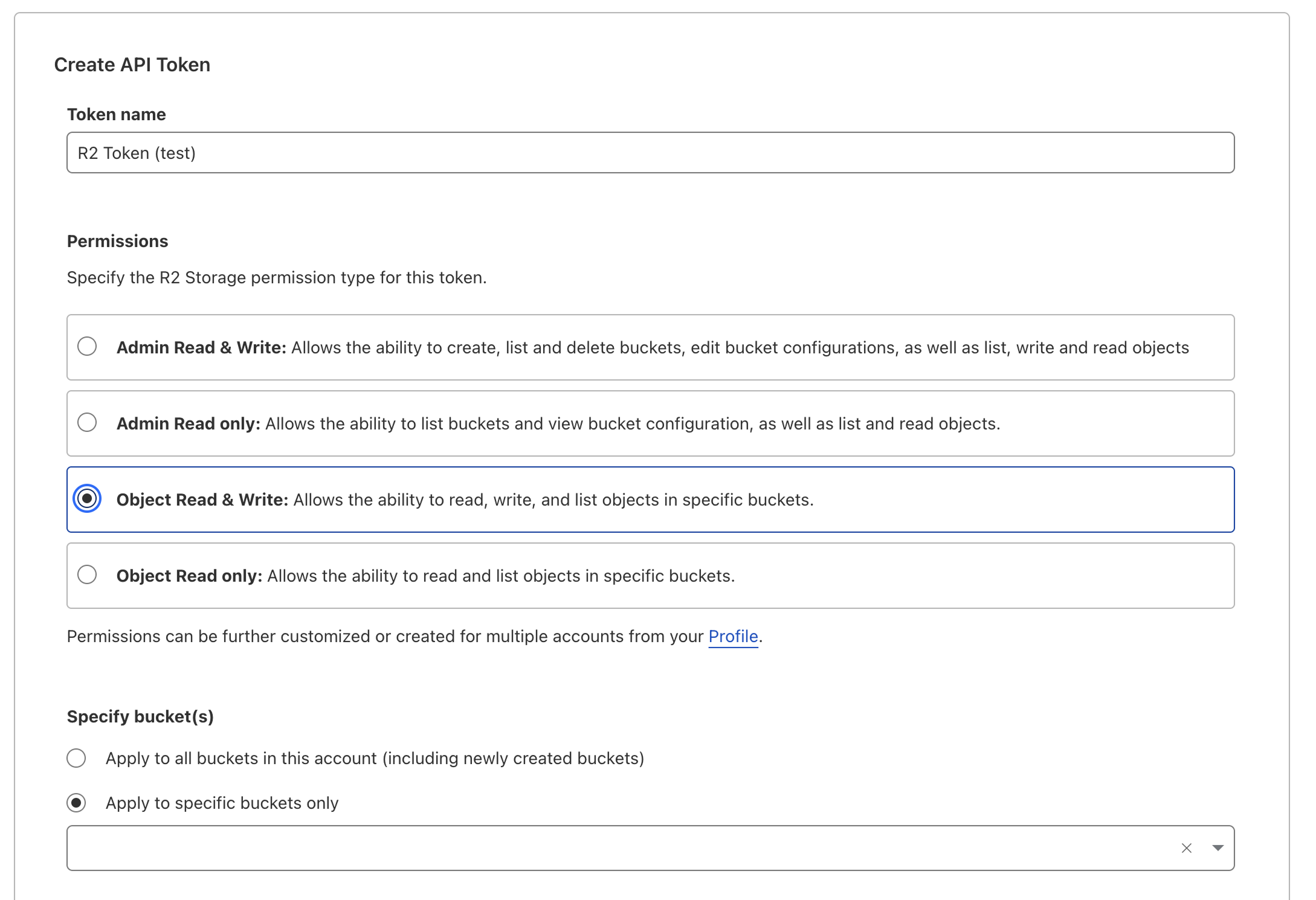
Access Key ID and Secret Access Key values – you’ll need them in the next step.3
Set up R2 environment variables
Once you have your credentials, set them in your
.env file:.env